If you are shopping for the best affordable audio interface, the real goal is not to spend the absolute least. The real goal is to spend just enough to get clean recordings, stable performance, useful monitoring, and a box you will not want to replace in three months.
Right now, that sweet spot is mostly between about $100 and $170, with one workable under-$50 option if your budget is truly tight. The biggest mistake is usually not sound quality. It is buying the wrong format for your needs, especially a one-mic interface when you really need two mic inputs.
If you’re completely new to audio interfaces and not sure what you actually need, you might want to start with this beginner guide:
Audio interface for beginners
Contents
Quick Picks (TL;DR)
If you just want the best options right now:
- Best overall: Focusrite Scarlett Solo 4th Gen
- Best for true beginners: Audient EVO 4
- Best for vocals: Universal Audio Volt 1
- Best compact creator pick: Arturia MiniFuse 1
- Best under $50: M-Audio M-Track Solo
- Best pick if you may need two mics soon: Audient EVO 4
These cover most use cases from beginner setups to small home studios.
Best Affordable Audio Interfaces Compared.
Model | Street price | Mic / instrument setup | Best for | Standout feature | Main trade-off |
$159.99–$169.99 | 1 mic pre + 1 hi-Z instrument input | Most solo musicians | Air modes, loopback, Easy Start | Only one mic input | |
$161.99 | 2 EVO mic pres + instrument-ready input path | Beginners who want flexibility | Smartgain, loopback, 2 mic pres | One-knob workflow is not for everyone | |
$119–$149 | 1 combo input | Mobile creators and compact desks | USB hub + virtual loopback | Only one mic preamp | |
$149 | 1 preamp / 1-in design | Vocals and singer-songwriters | Vintage preamp mode | One-input design limits growth | |
$49 | 1 combo input + 1 instrument input | Tightest budgets | Cheapest workable option | 16-bit/48kHz ceiling, plastic build |
Here’s a quick overview of the best affordable audio interface right now. Not sure if you actually need an audio interface yet?
Read this first:
Do I need an audio interface
The best affordable audio interface right now.
Best overall for most people – Scarlett Solo 4th Gen.
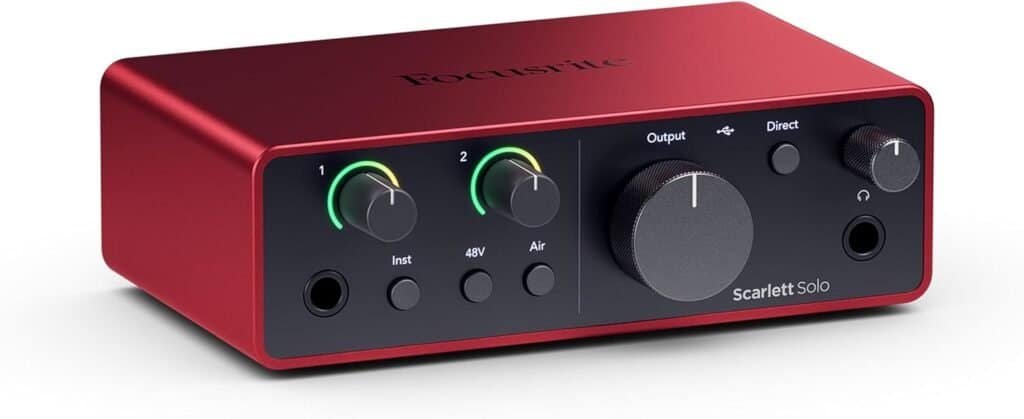
If you record one source at a time and want the safest all-round buy, the Scarlett Solo 4th Gen is the best affordable audio interface for most readers. It gives you a proper mic preamp, a dedicated hi-Z guitar input, Air modes, loopback, Dynamic Gain Halos, Easy Start, and a mature software/support ecosystem in a package currently sitting around the $160 mark.
For a solo musician, singer-songwriter, voiceover setup, or simple home studio, that is a very strong mix of usability and value. Where it stops being the best choice is the moment you know you will need two microphones at once. Then the Solo stops being “affordable” and starts becoming a false economy.
Check Price
Get the best deal now.
best affordable audio interface for true beginners – EVO 4
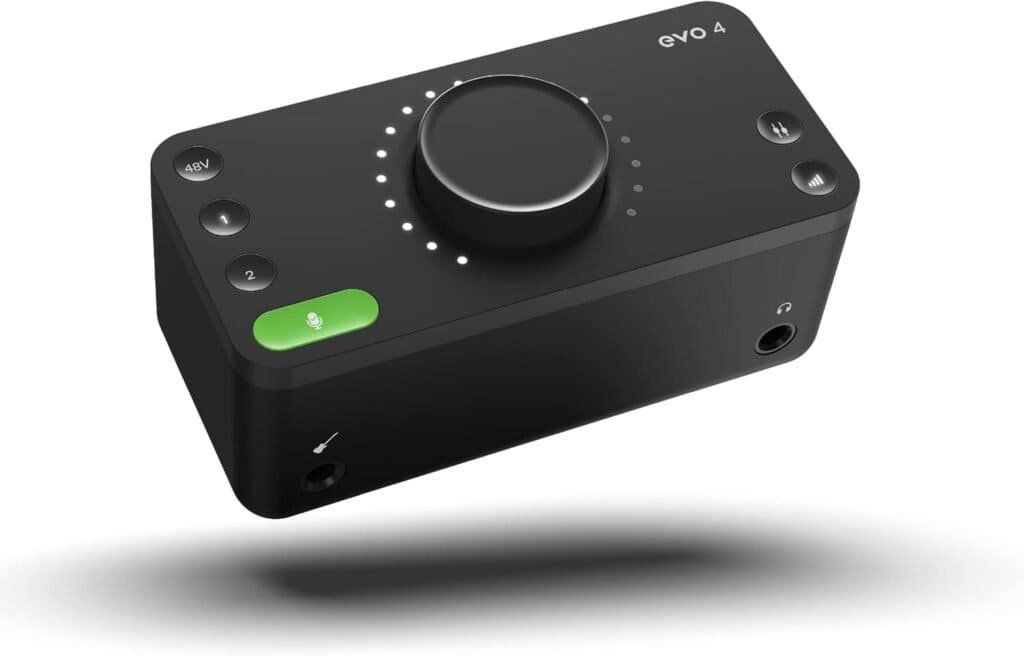
The EVO 4 is the best beginner-friendly choice if you want the best affordable audio interface that still feels like you can grow with it. Audient’s current product and retailer pages position it as a 2-in/2-out interface with two EVO mic preamps, Smartgain, loopback, bus power, and compact desktop control, and your uploaded beginner source highlights Smart Gain as one of the features that helps new users get recording fast without stumbling over gain staging.
This is the one I would push hardest if the buyer is new, nervous, and not yet sure whether they will eventually want to record voice plus guitar, two mics on an amp/cab setup, or a small podcast or streaming rig. The only real caveat is that its one-knob workflow is not everybody’s favorite.
Check Price
Get the best deal now.
Best compact creator pick – MiniFuse 1.
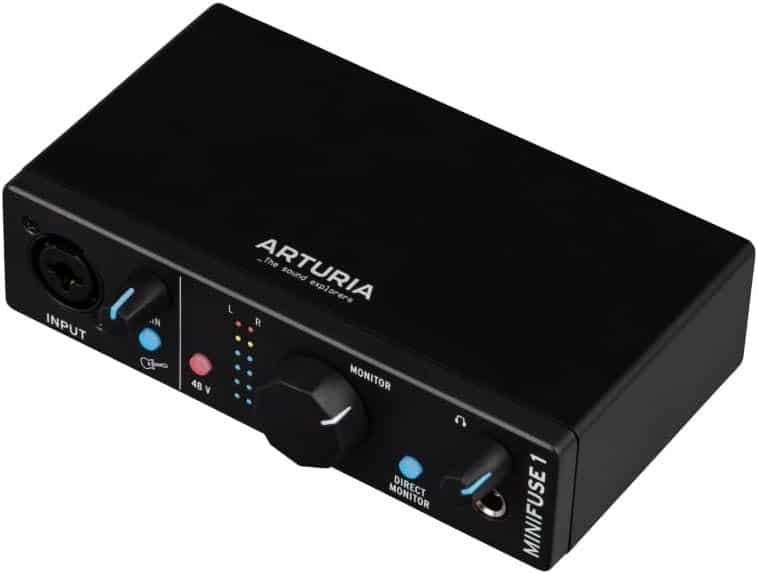
The MiniFuse 1 earns its place because it solves a different problem from the Scarlett Solo and EVO 4. It is for the person who wants a small desk footprint, a surprisingly useful software bundle, and extra convenience features that punch above the price. Arturia’s official page and Sweetwater’s current listings show a single combo input, a USB-A hub, a virtual loopback channel, direct monitoring, and a bundled package that includes Ableton Live Lite and several extras.
That makes it unusually attractive for mobile producers, content creators, and laptop-based setups where one clean input is enough and desk clutter matters. What you are giving up is obvious: if you need more than one mic input, MiniFuse 1 is not your long-term buy.
If you’re planning to use an XLR microphone with this interface, it’s important to understand how these setups work.
Read here:
How to use an XLR mic without an audio interface
Check Price
Get the best deal now.
Best affordable audio interface for vocals – Volt 1.
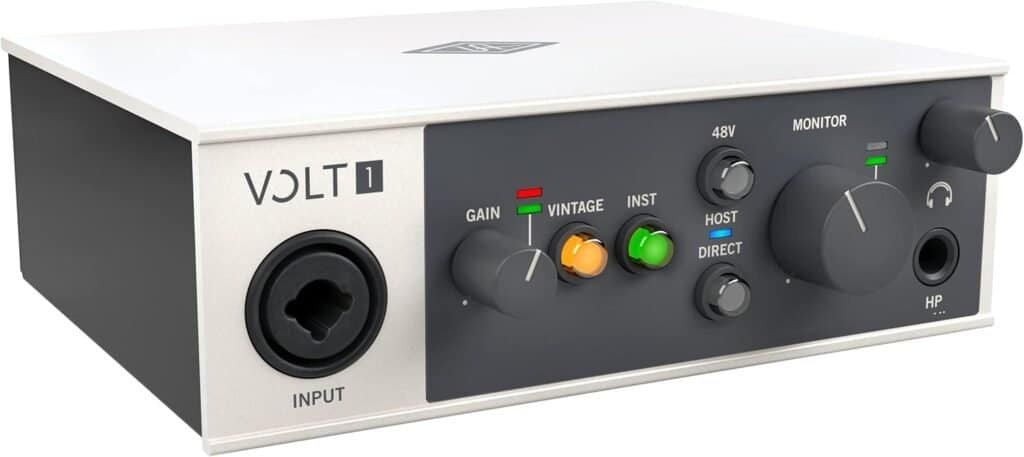
The Volt 1 is the affordable audio interface to recommend when the buyer says some version of “I mostly care about vocals.” MusicRadar currently calls it the best budget pick for vocals, and both Sweetwater and Universal Audio’s own materials emphasize the Vintage mic preamp mode, which is designed to bring in the richer character associated with UA’s classic 610-style sound.
It is still a one-input desktop interface, so it is not the right pick for everybody, but the pitch is simple: if the user wants a cleaner studio-looking box with a little more tonal personality on the front end, the Volt 1 is one of the most convincing options in the affordable range.
Check Price
Get the best deal now.
Best under $50 – M-Track Solo.
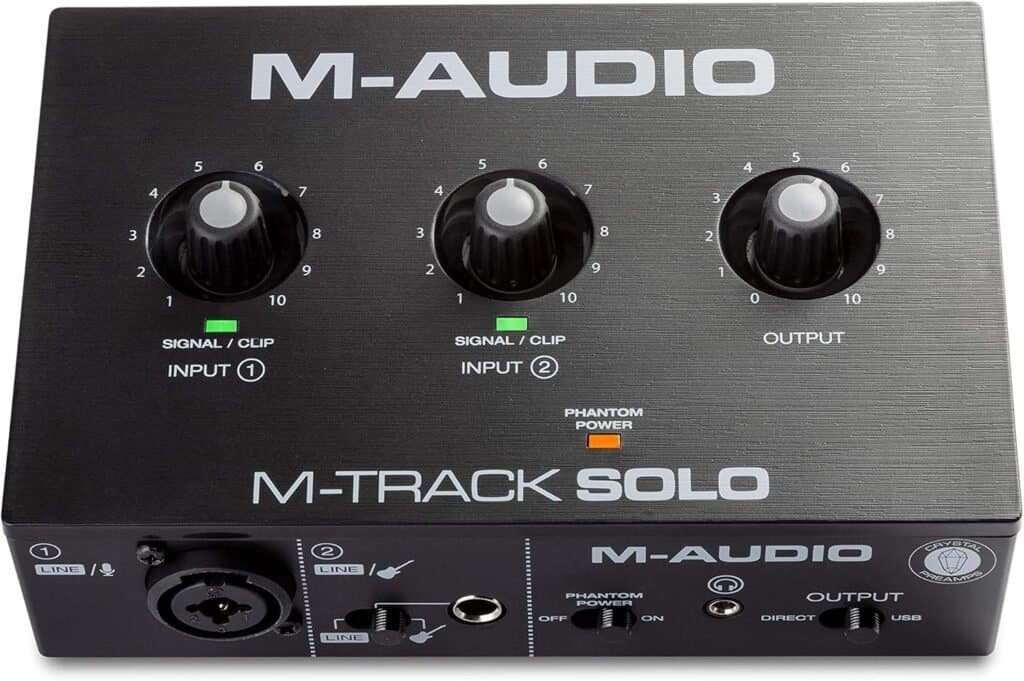
If your budget is brutally tight, the M-Track Solo is the best affordable audio interface here that I would still describe as a fair starter option. Sweetwater currently lists it at $49, and M-Audio markets it as a compact interface with a combo Crystal preamp input plus a switchable line/instrument input.
The trade-off is that it is plainly an entry-level device: current specs and retailer listings put it in the 16-bit/48kHz class, and your uploaded beginner material makes clear that this is the kind of product you buy because you need to start now, not because it is the most future-proof choice. That said, it is still a more honest starter recommendation than pretending every ultra-cheap box is equally painless to live with.
Check Price
Get the best deal now.
What to Look for in an Affordable Audio Interface.
Inputs and outputs
One of the biggest mistakes beginners make is buying an interface with too few inputs.
If you think you’ll ever record vocals and guitar at the same time, you need at least two inputs. Otherwise, you’ll hit a wall very quickly.
Sound quality
The truth is: most modern interfaces sound pretty good.
Even budget options can produce clean recordings — the difference is more about noise levels, headroom, and consistency.
Latency and drivers
Low latency is essential for recording without delay.
A good interface with stable drivers makes a huge difference in your workflow.
Expandability
Some interfaces allow you to expand later (via ADAT, for example).
Not essential for beginners, but worth knowing.
Common mistakes people make with cheap interfaces.
- Buying the cheapest option without thinking about future needs
- Choosing only one input when you actually need two
- Ignoring driver quality and latency
- Focusing too much on specs instead of real use cases
Next Steps
If you’re still learning the basics, check these guides:
- Audio interface for beginners
- Do I need an audio interface
- How to use an XLR mic without an audio interface
FAQ
These FAQs cover the affordable audio interface basics.
What is the best affordable audio interface overall?
For most solo musicians, the best affordable audio interface overall is the Scarlett Solo 4th Gen because it balances price, support, loopback, Easy Start, monitoring quality, and a mature software ecosystem. If you suspect you will need two microphones soon, the better answer is the EVO 4.
Do I need an audio interface as a beginner?
If you’re unsure, read this full guide:
Do I need an audio interface
What is the best cheap audio interface under $100?
If you absolutely need to stay under $100, the M-Track Solo is the more sensible starting point in this roundup. It is very basic, but it gets you recording cheaply. I would only go lower than that if you are fully aware of the compromises and are buying purely on price.
Do beginners need two mic inputs?
Not always. If you record only one vocal or one guitar at a time, one mic input is fine. If you want to record two microphones together, or think you might soon, then yes, two mic inputs matter and will save you money in the long run.
Is an affordable audio interface good enough for vocals?
Yes. A budget interface can absolutely record good vocals if the microphone, room, and gain staging are handled properly. For vocal-heavy buyers, the Volt 1 is a strong pick because of its Vintage mode, while the Scarlett Solo is a safer neutral all-rounder and the EVO 4 gives more flexibility if you need two mic pres.
Which affordable audio interface is best for streaming or content creation?
The EVO 4 and Scarlett Solo are both strong here because of loopback, and the MiniFuse 1 is especially attractive if you want a compact desk setup with a USB hub and virtual loopback channel.
Can I use an XLR mic without an interface?
Yes, but there are limitations.
Read more here:
How to use an XLR mic without an audio interface
Still have more questions?
Contact us and we’ll add it to this page
Glossary
Audio Interface
An audio interface is a device that converts analog sound (like your voice or instrument) into a digital signal your computer can process. It also lets you connect microphones, headphones, and speakers.
XLR Input
An XLR input is used for microphones. It provides a balanced signal and usually works together with a preamp to boost low-level mic signals.
Instrument Input (Hi-Z)
This input is designed for guitars or bass. It has high impedance and is not suitable for microphones.
Line Input
A line input is used for devices like synthesizers, drum machines, or external gear. It expects a stronger signal than a microphone.
Preamp
A preamp boosts weak microphone signals so they can be recorded properly. Higher-quality preamps usually mean cleaner recordings with less noise.
Phantom Power (48V)
Phantom power is required for condenser microphones. It supplies power through the XLR cable. Not all microphones need it.
Direct Monitoring
Direct monitoring lets you hear your input signal in real time without delay (latency). This is especially important for recording vocals.
Latency
Latency is the delay between playing a sound and hearing it through your headphones or speakers. Lower latency results in a better recording experience.
Sample Rate
The sample rate defines how often audio is captured per second (for example 44.1 kHz or 48 kHz). Higher values can mean better quality but are not always necessary.
Bit Depth
Bit depth determines how much detail your audio has (for example 16-bit or 24-bit). 24-bit is standard for music production today.
Headphone Output Impedance
This affects how well your interface drives headphones. High impedance can cause sound coloration or lower volume with certain headphones.
Gain
Gain controls how loud your input signal is recorded. Too low results in a weak signal, too high leads to distortion.
Clipping
Clipping happens when the signal is too loud and distorts. Always avoid red levels when recording.
ADAT (Expansion)
ADAT allows you to expand your interface with additional inputs using external gear. This is useful if you plan to upgrade later.
ASIO Driver
An ASIO driver ensures low latency and stable performance on Windows systems. It is important for smooth recording and playback.
About the Author

Patrick is a Germany-based producer and synth. He spends most days writing, tracking hardware, and testing gear in small real-world sessions—no lab coats, just songs.
This guide follows the same approach: fast, musical results first; specs only when they change what you can actually do.
Patrick has programmed and reviewed a wide range of instruments—from compact monos like SE-02, Monologue, and Typhon to expressive polys like Hydrasynth and PolyBrute.
He values clear panels, reliable tuning, and sounds that sit in a mix without a fight. When he says a synth is a “keeper,” it’s because it helped finish tracks. Have a question or a correction?
Reach out via the Contact page and check the Affiliate Disclosure to see how links support the site at no extra cost to you.