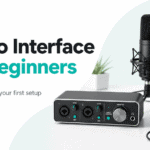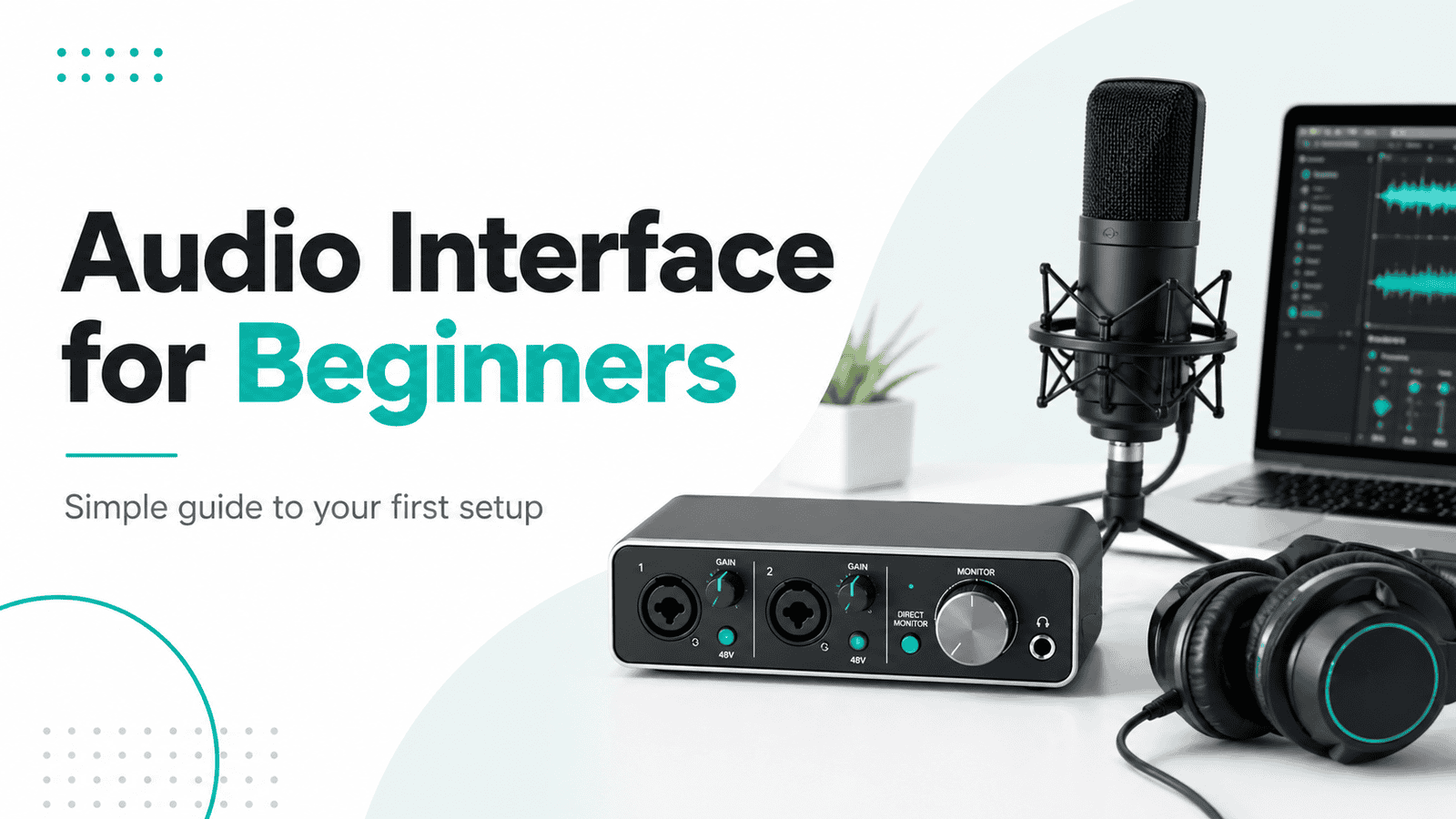
If you are looking for an audio interface for beginners, you have probably already noticed one thing:
There are way too many options.
Some audio interfaces have one input. Some have two. Some have MIDI, loopback, direct monitoring, phantom power, software mixers, DSP effects, and a long list of specs that sound important but are hard to understand when you are just starting out.
The good news is this:
You do not need to understand every technical detail to choose your first audio interface.
You just need to know what you want to record, how many things you want to plug in, and which features actually matter for a beginner setup.
This guide will explain the basics in simple language.
By the end, you should know what an audio interface does, when you need one, what to look for, and which beginner mistakes to avoid.
Contents
- 1 Quick Answer: What Is the Best Audio Interface for Beginners?
- 2 What Is an Audio Interface?
- 3 Do Beginners Really Need an Audio Interface?
- 4 What Should Beginners Look for in an Audio Interface?
- 5 How Much Should Beginners Spend on an Audio Interface?
- 6 Common Beginner Mistakes When Buying an Audio Interface
- 7 Good Audio Interface Setup for Beginners
- 8 Audio Interface for Beginners: Quick Checklist
- 9 Best Next Step
- 10 Glossary
- 11 About the Author
Quick Answer: What Is the Best Audio Interface for Beginners?
The best audio interface for beginners is usually a simple USB interface with one or two inputs, phantom power, direct monitoring, a headphone output, and stable driver support.
For most beginners, a 2-input audio interface is the safest choice because it gives you more flexibility than a single-input model.
You do not need the most expensive interface. You need one that fits your setup.
If you already know you want to buy one, read my full comparison of the best affordable audio interfaces.
What Is an Audio Interface?
An audio interface is a device that connects microphones, instruments, headphones, and speakers to your computer.
It helps you record real sound into your DAW and hear audio back through headphones or studio monitors.
In simple terms, an audio interface does three main things:
It records audio from microphones and instruments.
It converts that audio into a digital signal your computer can use.
It sends audio back out to your headphones or speakers.
So if you want to record vocals, guitar, bass, synths, podcasts, voiceovers, or external gear, an audio interface becomes very useful.
Your laptop already has built-in audio, but it is limited. It is fine for casual listening, video calls, or basic playback. But it is not ideal for serious recording, low latency, or connecting studio gear.
An audio interface gives you better control, better inputs, better outputs, and usually better recording quality.
Do Beginners Really Need an Audio Interface?
Not always.
If you only use software instruments, MIDI, samples, loops, and headphones, you can start making music without an audio interface.
For example, if you are producing beats in Ableton Live, FL Studio, Logic Pro, GarageBand, or another DAW using only plugins and samples, your computer can be enough in the beginning.
But you probably need an audio interface if you want to record:
- Vocals
- Guitar
- Bass
- Synthesizers
- Drum machines
- Podcasts
- Voiceovers
- External hardware
You also need an audio interface if you want to connect studio monitors properly or reduce latency while recording.
A simple way to think about it:
If everything happens inside your computer, you can wait.
If you want to bring real sound into your computer, you probably need an interface.
If you are still unsure, read the full guide: do I need an audio interface.
What Should Beginners Look for in an Audio Interface?
When choosing an audio interface for beginners, do not start with brand names or complicated specs.
Start with your use case.
Ask yourself:
- What do I want to record?
- How many things do I want to record at the same time?
- Do I use an XLR microphone?
- Do I use a guitar, bass, or synth?
- Do I need studio monitor outputs?
- Will I use Mac or Windows?
Once you answer those questions, choosing your first audio interface becomes much easier.
Number of Inputs
Inputs are one of the most important things to understand.
A one-input audio interface can be enough if you only record one source at a time, such as one vocal microphone or one guitar.
But many beginners outgrow one input quickly.
A two-input interface is often the better beginner choice because it gives you more room to grow.
With two inputs, you can record:
- Vocals and guitar at the same time
- Two microphones
- A stereo synth
- A podcast with two people
- A microphone and an instrument
This is why many beginner setups are better with a 2-input audio interface instead of the absolute cheapest single-input option.
If you buy too small, you may need to upgrade sooner than expected.
Microphone Inputs, Instrument Inputs, and Line Inputs
Not all inputs are the same.
- A microphone input is usually an XLR input or a combo input. This is used for microphones.
- An instrument input, often called Hi-Z, is used for guitar or bass.
- A line input is used for devices that already produce a stronger signal, such as synthesizers, drum machines, keyboards, or mixers.
This matters because you cannot always plug anything into any input and expect it to work correctly.
For example, an electric guitar should go into an instrument input. A condenser microphone should go into a mic input with phantom power. A synth usually works best with line inputs.
If you already have an XLR microphone and are trying to connect it without extra gear, read this guide on how to use an XLR mic without an audio interface.
Phantom Power
Phantom power is usually shown as “48V” on an audio interface.
You need phantom power if you use many condenser microphones.
Dynamic microphones usually do not need it.
Most modern beginner audio interfaces include phantom power, but you should still check before buying.
This is especially important if you want to record vocals with an XLR condenser mic.
Direct Monitoring
Direct monitoring lets you hear your microphone or instrument while recording without an annoying delay.
That delay is called latency.
For beginners, direct monitoring is very helpful because it makes recording vocals or instruments feel more natural.
Without direct monitoring, you may hear your voice slightly late in your headphones, which can make it hard to perform.
A good audio interface for beginners should have a simple direct monitoring option.
Headphone Output and Studio Monitor Outputs
An audio interface is not only for recording.
It also becomes the center of your listening setup.
Most beginner interfaces include:
- One headphone output
- Left and right outputs for studio monitors
- A main volume knob
- A headphone volume control
If you are only using headphones, this is still useful. If you plan to buy studio monitors later, make sure your interface has proper monitor outputs.
Latency and Driver Support
Latency is the delay between playing or singing something and hearing it back through your headphones or speakers.
Low latency is important when recording.
Most modern audio interfaces are good enough for beginners, but driver support still matters.
If you use Windows, check whether the interface has proper ASIO drivers.
If you use Mac, many interfaces are plug and play, but it is still worth checking compatibility.
A cheap interface with bad drivers can be frustrating, even if the hardware looks fine.
USB, USB-C, and Computer Compatibility
Most beginner audio interfaces connect through USB.
Some use USB-C, some use older USB-B cables, and some include adapters.
Before buying, check:
- Does it work with your computer?
- Does it support your operating system?
- Does it need external power?
- Does it work with your DAW?
For most beginners, a USB-powered interface is the easiest option because it only needs one cable for power and data.
How Much Should Beginners Spend on an Audio Interface?
Most beginners do not need to spend more than $100 to $200 on their first audio interface.
That price range is usually enough for a solid beginner setup.
Below that, you can still find usable options, but you may get more compromises in build quality, noise performance, drivers, or features.
Above $300, you usually pay for things beginners may not need yet, such as more inputs, better routing, advanced software mixers, DSP processing, or higher-end build quality.
A good beginner rule:
Start with what you actually need now, but do not buy something so limited that you will replace it in three months.
If you are ready to compare models, see my full guide to the best affordable audio interfaces.
Not sure which beginner interface to choose? I compared the best affordable audio interfaces for home studios, vocals, and beginner setups.
Common Beginner Mistakes When Buying an Audio Interface
Buying your first audio interface can feel confusing, but most mistakes are easy to avoid.
Here are the big ones.
Buying the Cheapest Interface Without Thinking Ahead
The cheapest option is not always the best value.
If it only has one input and you later need two, you may end up spending more money by upgrading early.
For many beginners, a slightly better 2-input interface is the smarter choice.
Confusing Instrument Inputs With Microphone Inputs
- A guitar input is not the same as a microphone input.
- A microphone needs a mic input and a preamp.
- A guitar or bass needs an instrument input.
- A synth or drum machine usually needs a line input.
This is one of the most important things to understand before buying.
Ignoring Phantom Power
If you buy a condenser microphone, you will likely need 48V phantom power.
Most interfaces include it, but not every cheap or unusual solution does.
Always check this before buying a microphone and interface together.
Buying Too Many Features Too Early
Some interfaces include advanced routing, DSP effects, multiple headphone mixes, ADAT expansion, MIDI, or loopback.
These can be useful, but beginners do not need everything on day one.
More features can also mean a steeper learning curve.
Start with the basics first.
Thinking an Expensive Interface Will Automatically Make Better Music
A better audio interface can improve your workflow and recording quality.
But it will not fix a bad performance, bad microphone placement, noisy room, or poor mixing decisions.
For beginners, learning how to record properly matters more than buying the most expensive interface.
Good Audio Interface Setup for Beginners
A simple beginner recording setup could look like this:
- Laptop or desktop computer
- DAW
- Audio interface
- XLR microphone or instrument
- Headphones
- Optional studio monitors
This is enough to record vocals, guitar, voiceovers, podcasts, and basic music production.
A very simple setup could be:
Microphone → audio interface → computer → headphones
A producer setup could be:
MIDI keyboard → computer → headphones
In the second example, you may not need an interface immediately because MIDI does not carry audio. But once you record vocals, instruments, or external hardware, an interface becomes much more useful.
Audio Interface for Beginners: Quick Checklist
Before buying your first audio interface, check this list:
- Do I need one or two inputs?
- Do I use an XLR microphone?
- Do I need phantom power?
- Do I record guitar, bass, vocals, or synths?
- Do I need studio monitor outputs?
- Do I want direct monitoring?
- Does it work well with my computer?
- Does it have stable drivers?
- Is it simple enough for a beginner?
- Does it give me room to grow?
If you can answer these questions, you are much closer to choosing the right beginner audio interface.
Best Next Step
At this point, you should have a better idea of what matters.
You do not need the most expensive interface.
You do not need every advanced feature.
You need an audio interface that matches your real setup.
For most beginners, that means:
- One or two inputs
- Phantom power
- Direct monitoring
- Good headphone output
- USB connection
- Reliable drivers
If you want specific recommendations, continue with my guide to the best affordable audio interfaces.
What is the best audio interface for beginners?
The best audio interface for beginners is usually a simple USB interface with one or two inputs, phantom power, direct monitoring, and a headphone output. For most beginners, a 2-input interface gives the best balance of price and flexibility.
Do I need an audio interface if I only use MIDI?
No. MIDI does not carry audio. If you only use a MIDI keyboard to control software instruments, you do not necessarily need an audio interface.
Is a cheap audio interface good enough?
Yes, many cheap audio interfaces are good enough for beginners. The important thing is choosing one that fits your setup, has the right inputs, and works reliably with your computer.
Do I need phantom power?
You need phantom power if you use a condenser microphone that requires 48V power. Dynamic microphones usually do not need phantom power.
Can I use an XLR mic without an audio interface?
Technically, there are workarounds, but they often come with limitations in sound quality, gain, and reliability. For most beginners, using an audio interface is the better solution.
How many inputs do I need as a beginner?
One input can be enough if you only record one source at a time. Two inputs are better if you want to record vocals and guitar, two microphones, or a stereo instrument.
Glossary
Audio Interface
A device that connects microphones, instruments, headphones, and speakers to your computer.
Input
A connection where audio enters the interface, such as a microphone input or instrument input.
Output
A connection where audio leaves the interface, such as headphone or studio monitor outputs.
XLR Input
A microphone connection commonly used for professional microphones.
Instrument Input / Hi-Z
An input designed for electric guitar or bass.
Line Input
An input designed for stronger signals from synths, drum machines, mixers, or other audio gear.
Phantom Power / 48V
Power supplied by an interface to run condenser microphones.
Direct Monitoring
A feature that lets you hear your input signal while recording with little or no delay.
Latency
The delay between playing or singing something and hearing it back.
ASIO Driver
A Windows audio driver type that helps reduce latency and improve recording performance.
DAW
A Digital Audio Workstation, such as Ableton Live, FL Studio, Logic Pro, Reaper, or Pro Tools.
About the Author

Patrick is a Germany-based producer and synth. He spends most days writing, tracking hardware, and testing gear in small real-world sessions—no lab coats, just songs.
This guide follows the same approach: fast, musical results first; specs only when they change what you can actually do.
Patrick has programmed and reviewed a wide range of instruments—from compact monos like SE-02, Monologue, and Typhon to expressive polys like Hydrasynth and PolyBrute.
He values clear panels, reliable tuning, and sounds that sit in a mix without a fight. When he says a synth is a “keeper,” it’s because it helped finish tracks. Have a question or a correction?
Reach out via the Contact page and check the Affiliate Disclosure to see how links support the site at no extra cost to you.